Key Takeaway
Pick your first AI agent by bottleneck, not by capability: one workflow where work waits in an inbox, spreadsheet or handoff, one owner, one KPI, and a human approving every action until the override rate says otherwise.
Most companies pick their first AI agent by capability, and most of those agents never earn their keep. This article is for leaders choosing where agents go first. The short version: find a step where work piles up, give the agent that step, and keep a person in control of what matters.
Ask a leadership team where to start with AI agents and someone suggests a chatbot. An internal assistant that answers policy questions. A bot on the website. A copilot inside the product.
These are easy to demo and hard to justify. A chatbot only creates value when someone decides to open it, and it’s hard to say which number it should move. Six months later the usage chart is flat and nobody can tell the CFO what it earned.
A better first agent starts from the other end. Find one workflow where work piles up in an inbox, a spreadsheet or a handoff between teams. Redesign that step so an agent does the repetitive part. Give it one owner and one KPI (key performance indicator). Then ship it to production.
Agentic AI is a headline topic this year. IDC’s 2026 AI & Data Summit series titled its keynote “Agentic AI at Scale: Accelerating Innovation While Managing Risk.” The interest is real. What most teams lack is a defensible way to pick the first one.
Why do capability-first AI agents stall?
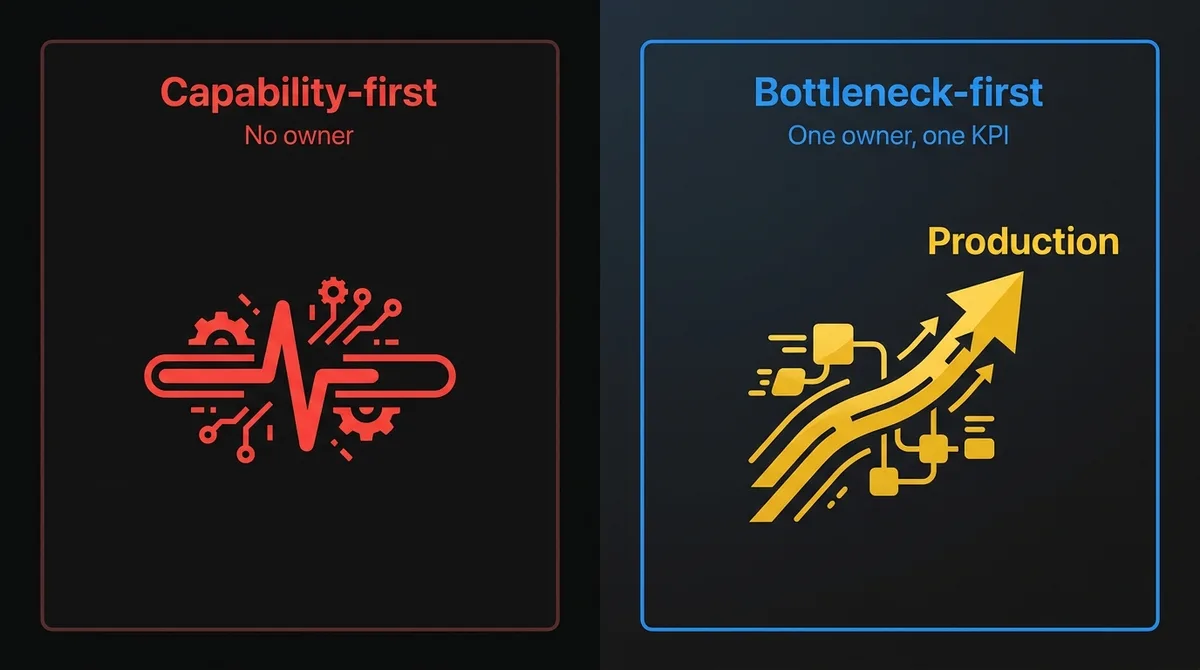
Because they start from what agents can do instead of what the business needs fixed. The team picks the most impressive thing it saw in a vendor demo, and four problems show up later:
- No owner. A general assistant belongs to everyone, so it belongs to no one. Nobody’s quarterly goals depend on it.
- No baseline. You can’t measure improvement on a workflow that didn’t exist before.
- Optional usage. Value depends on people remembering to open a new tool. Most won’t.
- Unbounded scope. “Answer any question” has an infinite test surface. You can never call it ready.
Picking by bottleneck avoids all four. The workflow already exists, so it has an owner and a baseline. The work arrives on its own, so usage isn’t optional. And the scope is one step in one process, which you can actually test.
What does a workflow bottleneck look like?
It’s a step where work waits for a person, and the waiting costs something. In most companies you’ll find them in three places.
Inbox-driven intake. Work arrives by email: purchase orders as PDF attachments, customer requests, supplier confirmations, vendor invoices. Someone reads each one, pulls out what matters and keys it into another system.
Spreadsheet-driven decisions. A shared sheet is the real system of record for a process the official systems don’t support. Exceptions, approvals, allocations. One person updates it by hand and everyone else waits.
Manual handoffs. One team finishes its part and has to tell another, usually with a message that restates information already sitting in a system. Sales to onboarding. Support to billing. Operations to finance.
The signals are easy to measure once you look: how many items arrive per week, how long they wait, how often they come back for rework, and how many minutes of copy-paste each one takes.
How do you score candidate workflows for a first agent?
List five to ten bottlenecks and score each one from 1 to 3 on seven factors. This scorecard is built for a first agent, where the goal is a production win with acceptable risk, not maximum ambition.
| Factor | Score 1 | Score 3 | Why it matters for a first agent |
|---|---|---|---|
| Volume | A few items a month | Dozens or hundreds a week | Volume makes small time savings add up and gives you evaluation data fast |
| Wait cost | Waiting is annoying | Waiting delays revenue, cash or a customer | Sets the ceiling on what fixing it is worth |
| Input structure | Every item is different | Items follow recognizable formats with variation | Agents handle messy input well, but a first agent shouldn’t face pure chaos |
| Reversibility | Mistakes are expensive or public | Mistakes get caught before they matter | The first agent should fail safely while you learn how it fails |
| System access | Target systems have no API | Clean APIs or integration points exist | Integration is often the biggest part of the build |
| Owner | Nobody owns the workflow end to end | One person owns it and wants it fixed | Without an owner, nobody drives adoption or signs off on controls |
| KPI | Hard to define | Already tracked, or easy to baseline this week | You need to prove it worked within a quarter |
Anything that scores 1 on reversibility or owner comes off the list, whatever its total. Those make fine second or third agents once you have production experience. Of what’s left, the highest total is usually the right pick.
Our agentic AI use cases guide has a broader catalogue of patterns that work in production. The scorecard is for choosing among them in your own business.
How much autonomy should your first AI agent have?
Less than you think. Most first agents should launch at level 1, where the agent drafts every action and a person approves it, then earn their way to level 2. “Agent” covers a wide range of autonomy, so be explicit about where yours sits.
| Level | The agent… | A person… |
|---|---|---|
| 0: Suggest | Surfaces information or a recommendation | Does all the work and makes the decision |
| 1: Draft | Prepares the full action (the record, the reply, the entry) | Reviews and approves every action |
| 2: Act with review | Takes routine actions directly within set limits | Approves exceptions and spot-checks a sample |
| 3: Act autonomously | Handles the full step within policy | Monitors metrics and handles escalations |
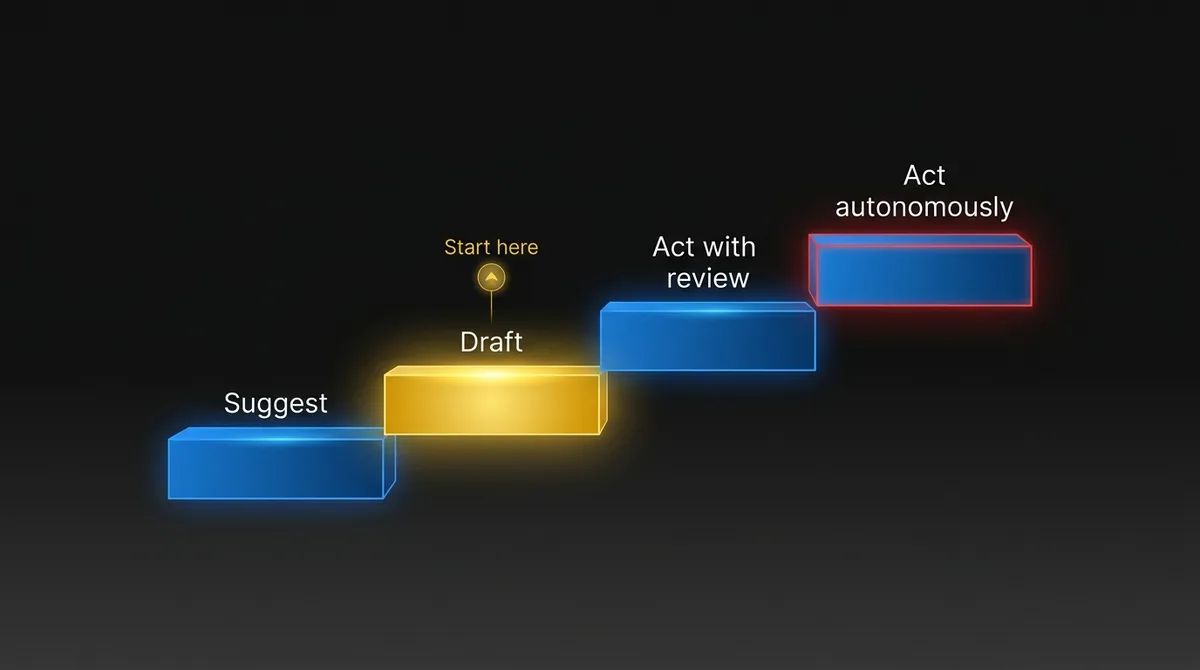
Level 1 gives you labeled data on every action: what the agent proposed, what the person changed, and why. After a few weeks you know which categories of work the agent gets right nearly every time. Those move to level 2. Everything else stays in review.
Skipping straight to level 3 is how agents end up sending the wrong email to a customer or posting the wrong amount to the ledger. Enterprise AI agents: where to start and what to expect covers the infrastructure that makes higher autonomy safe.
What goes on a workflow canvas before you build?
Twelve fields on one page, filled in during the first working session. The canvas surfaces disagreements while they’re still cheap to fix.
- Workflow. Name it plainly. “Customer purchase orders received by email.”
- Owner. One person, by name, accountable for the KPI.
- Trigger. What starts an item. An email lands in a shared inbox.
- Today’s steps. Each step, who does it, in which system, and how long it takes.
- The bottleneck. The step where work waits. Mark it.
- Agent’s job. What the agent does at that step, in one or two sentences.
- Tools and permissions. Exactly which systems the agent reads and writes, and with what scope. Read access to the inbox. Create-draft access in the ERP (enterprise resource planning) system. No delete.
- Human control point. Where a person approves, and what they see when they do.
- Limits. Hard rules the agent can’t cross. Order value thresholds, customer tiers, new vendors.
- Failure handling. What happens when the agent is unsure, a system is down or the input is unreadable. The default is always “route to a person.”
- KPI and baseline. The number, measured before launch.
- First production milestone. What ships, to whom, by when.
Operations and IT often find out here that they had different ideas about which system is authoritative, or what counts as an “exception.” Better to learn that on paper.
What does a good first agent look like in practice?
It works inside systems people already use, drafts actions for approval, and has hard limits on what it touches. The two examples below are illustrative composites, not specific clients.
Industrial distribution: purchase orders by email
Bottleneck: A distributor gets most customer purchase orders (POs) as PDF attachments in a shared inbox. Customer service keys each one into the ERP. In busy weeks, orders wait a day or more before entry, and keying errors cause wrong shipments.
Agent’s job: Read each incoming PO, match the customer and part numbers against the ERP, and create a draft sales order with any mismatches flagged.
Human control: A customer service rep reviews every draft at first (level 1). After a few weeks, clean POs from established customers with exact part matches move to level 2: created directly, with a daily sample reviewed.
Limits: No auto-entry for new customers, orders above a value threshold, or any line with an unmatched part number.
KPI: Median time from email received to order entered, plus order-entry error rate. Baseline both before launch.
B2B software: billing credit requests
Bottleneck: Customers ask support for billing credits after outages or disputes. Support forwards the request to billing, billing checks the contract and usage, and finance approves anything above a limit. Requests bounce between three teams and sit in a queue at each one.
Agent’s job: When a credit request is tagged in the help desk, pull the contract terms, usage data and incident records for the period, calculate the credit the policy supports, and prepare it for approval with the reasoning attached.
Human control: Billing approves every credit. Finance still approves anything above its limit. The agent never applies a credit itself.
Limits: No credits for accounts in collections or with custom contract terms. Those go straight to a person.
KPI: Time from request to resolution, and the number of handoffs per request.
Notice what’s missing from both: a chat interface. Nobody has to remember to open anything.
Which controls does a production AI agent need?
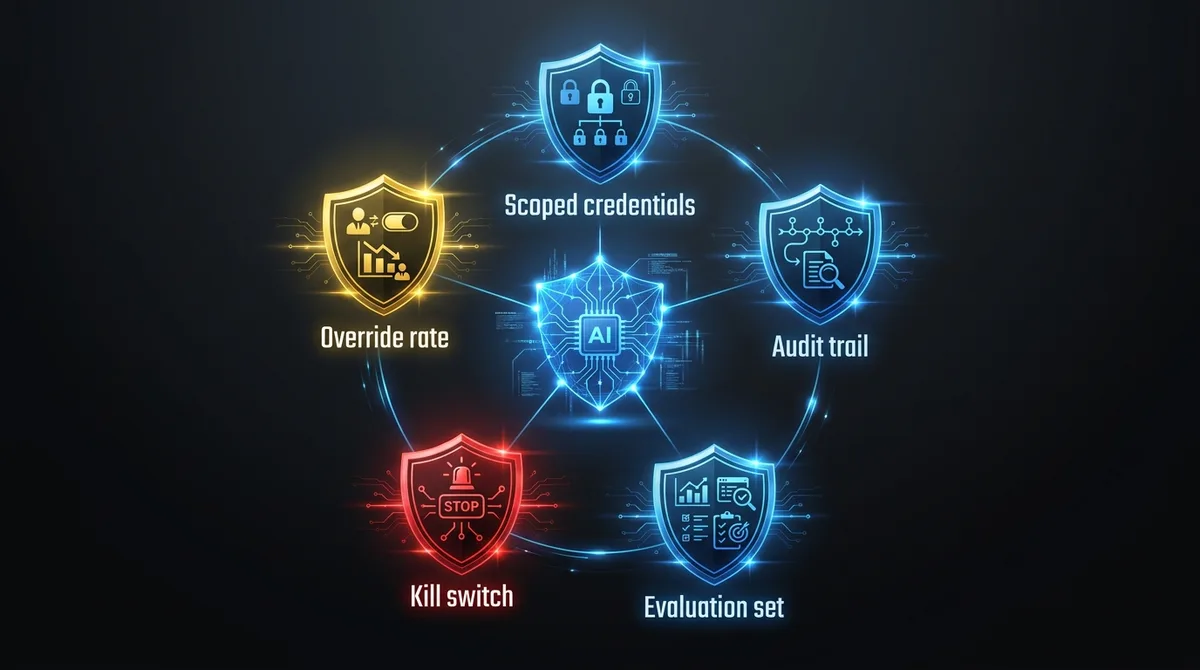
Five, and you build them before the agent goes live, not after. They’re what makes the agent acceptable to put in production at all.
- Scoped credentials. The agent gets its own identity with the minimum permissions the canvas lists. Never a shared admin account.
- An audit trail. Every input, proposed action, human decision and outcome is logged and searchable.
- An evaluation set. A few hundred real historical items with known correct outcomes, run against every change to prompts, models or tools.
- A kill switch. One toggle that routes everything back to people, no deploy required.
- Monitoring. Approval rate, override rate and error rate by category, reviewed weekly by the owner. Our post on AI agent observability covers what to track and why standard application monitoring misses it.
The override rate is the most useful number you’ll have. If reviewers often change a category of actions, the agent isn’t ready to handle that category alone. If they rarely do, you’ve got evidence to expand.
Who should build your first AI agent?
Three people matter more than a big team: the workflow owner, someone who knows the target systems and their APIs, and an engineer who’s put agents into production before and knows where they break.
Most companies have the first two. The third is the gap, and it’s the role we fill. Our engineers embed with your team, work in your stack and your release process, and build the first agent alongside your people, so the controls and the know-how stay with you. If you don’t have a team to build with, we can build it for you as a fixed production milestone.
Frequently Asked Questions
What’s a good first use case for an AI agent?
A high-volume step where work waits in an inbox, a spreadsheet or a handoff, and where mistakes get caught before they matter. Purchase order intake and billing credit requests are typical examples. Skip anything with no clear owner or expensive, public failure modes.
Should a first AI agent act on its own?
No. Launch at level 1, where the agent drafts every action and a person approves it. Move a category of work to direct action only after the override rate on that category stays low for several weeks.
How do you measure whether an AI agent is working?
Baseline one KPI before launch, such as time from email to order entry, and track it weekly. Watch the override rate alongside it: it tells you which categories of work the agent handles reliably.
Which workflow should your first agent own?
The one in your business that still runs on an inbox, a spreadsheet or a manual handoff. Send us one. We’ll reply with a workflow hypothesis: where the bottleneck sits, what an agent would do at that step, where the human control point goes, and what a first production milestone looks like. Send us your workflow.