Key Takeaway
Risk committees approve mechanisms, not principles. Put every decision the AI touches into a tier, then build reasons, thresholds, overrides and a pause switch into the workflow itself, and approval stops being the place where objections get discovered.
This article is for CIOs, CTOs and product leaders whose AI pilot works but can’t get through a risk committee. It shows how to turn responsible AI from a policy into design decisions: a decision-rights table, five controls that live in the workflow, and a ten-question stress test to run before the approval meeting.
The pilot worked. Accuracy on the test set was good, the demo landed, and the business sponsor wanted it live by next quarter.
Then it went to the risk committee. Someone asked what happens when the system is wrong about a customer. Someone else asked who can override it, and how the company would explain a specific decision to a regulator eighteen months from now. The team answered with a responsible AI policy: principles, a review board, a commitment to fairness and transparency.
Six months later the pilot is still a pilot.
The system was built to be accurate. It was never designed to be approved. Approval depends on something the model can’t provide on its own: evidence that people inside the company can control what it does, understand why it did it, and fix it when it’s wrong.
Our position is simple. Trust is a product requirement. You design it into the workflow the same way you design latency and permissions, and it’s what turns a responsible AI program into something commercial: a system the business is willing to put in front of customers.
Why don’t responsible AI policies get systems approved?
Because a policy describes intent, and risk teams approve mechanisms. When a risk leader reads “decisions will be explainable,” they want to see the screen where the explanation shows up, who sees it, and what that person can do about it.
IDC’s 2026 Canadian AI & Data Summits put this theme on the main agenda. The Toronto program talks about “embedding fairness, bias mitigation, auditability, and explainability across the AI lifecycle.” That’s the right list. The question for a CIO or CTO is where the embedding actually happens. It doesn’t happen in the policy.
| What the policy says | What the approver needs to see in the workflow |
|---|---|
| “Humans remain accountable for AI decisions.” | Which decisions need a named person to approve, and what that person sees before approving |
| “Decisions will be explainable.” | The reason attached to each output, written for the person acting on it, not a feature-importance chart in a notebook |
| “We will monitor for errors and bias.” | Who reviews what, how often, and the threshold that pauses the system |
| “The system can be overridden.” | The override button, where the override is recorded, and how it changes future behaviour |
| “AI use will be transparent.” | What the customer or employee is told, and when |
Every row on the left is a reasonable commitment. Every row on the right is a design decision someone building the system has to make. When nobody makes those decisions during the build, the approval meeting is where they get discovered, one objection at a time.
Who approves an AI workflow for production, and what does each approver need?
Usually four groups: the business owner, the risk or compliance leader, the CISO (chief information security officer) and the CIO or CTO. They aren’t asking the same thing. Treating them as one “governance” audience is a common reason reviews drag on.
| Approver | What they’re really asking | Evidence that answers it |
|---|---|---|
| Business owner | Will my team trust it enough to use it, and will it make their work better? | A pilot run where the team used the outputs, plus override rates and reasons |
| Risk or compliance leader | Can we defend each decision if a customer, auditor or regulator challenges it? | Decision rights by tier, reason codes, a sample decision record |
| CISO | What can it touch, and what happens if it’s manipulated? | Permission map and threat model (a separate review, and worth doing early) |
| CIO / CTO | Can we run it, change it and shut it off without a crisis? | Fallback path, version control for prompts and models, an owner for operations |
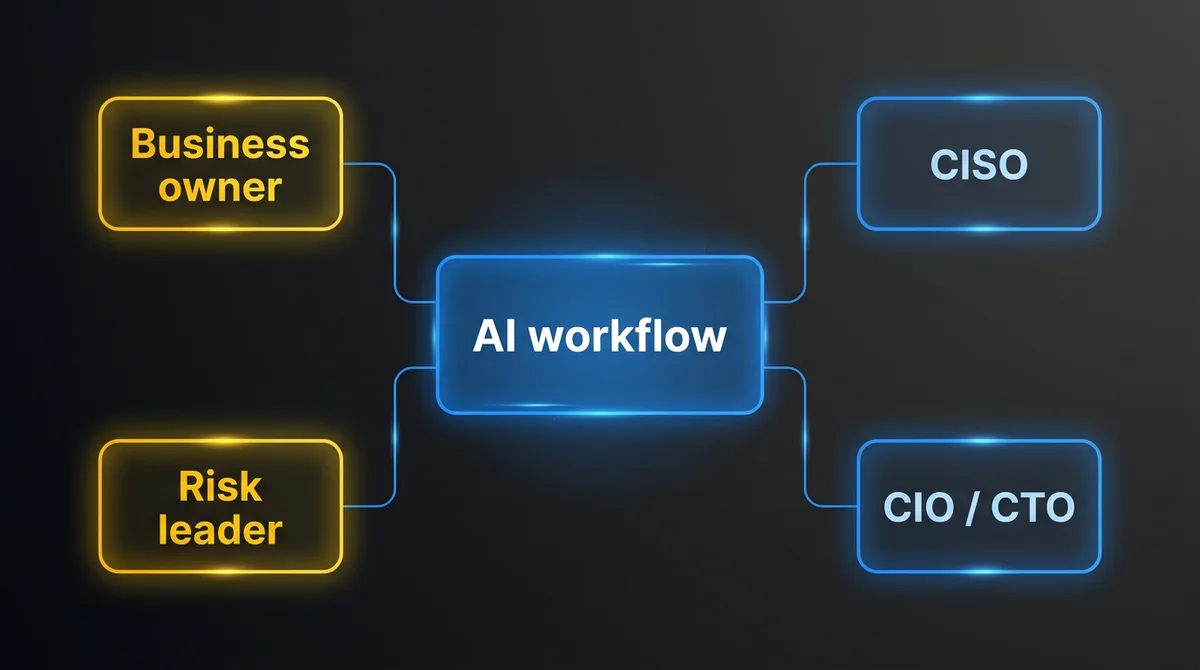
The CISO review deserves its own design work, and the engineering baseline for logging and versioning is in our AI governance guide for product teams. This post focuses on the two approvers who most often stall a launch without ever saying no: the business owner and the risk leader.
What are AI decision rights, and why do they matter most?
Decision rights spell out, for every decision the system touches, how much the AI is allowed to do on its own. List each decision and put it in one of four tiers. This single table does more for approval than any principles document, because it turns “responsible AI” into specific choices people can review.
| Tier | What the system does | Typical fit |
|---|---|---|
| 1. Automate | Acts on its own. Humans review aggregate results. | High volume, low impact on any one person, easy to reverse |
| 2. Automate with sampled review | Acts on its own. A person reviews a sample and every case above a threshold. | Moderate impact, reversible within days |
| 3. Recommend | Prepares the decision with a reason. A named person approves or changes it. | Material impact on a customer or employee, or hard to reverse |
| 4. Never delegate | Supplies information only. A person decides from scratch. | Adverse decisions about people, legal positions, anything a regulator expects a human to own |
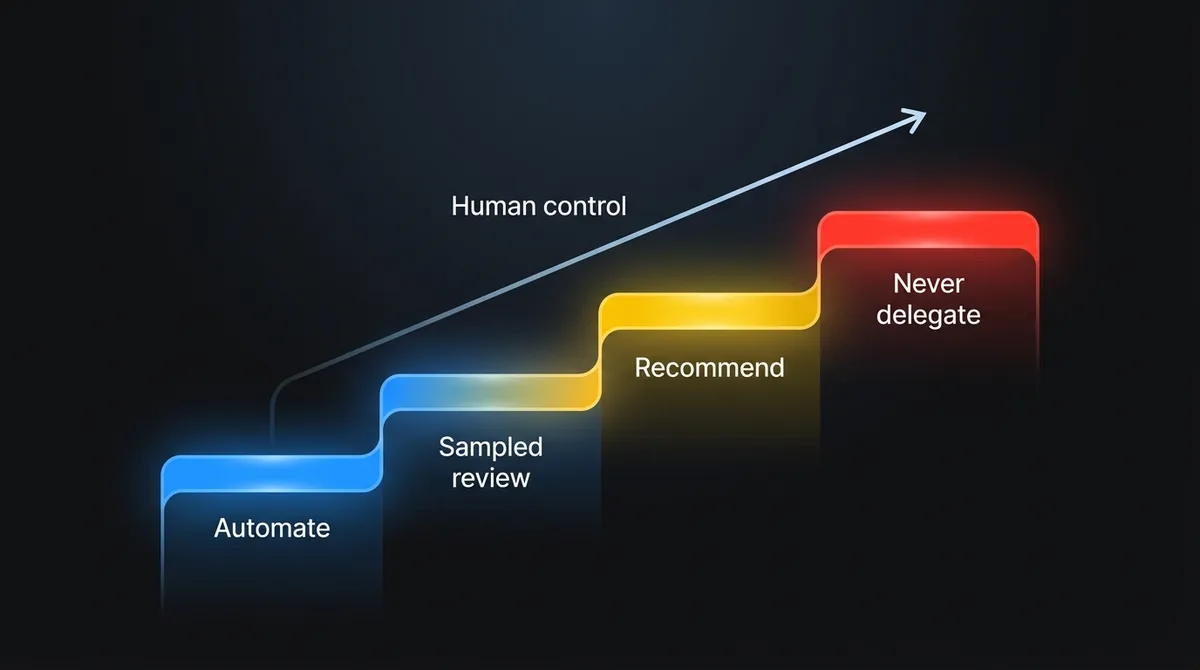
Four criteria set the tier: how reversible the action is, how much it affects one specific person, the regulatory exposure, and the volume. Volume pushes toward automation. The other three push the other way.
The table earns its place in an approval meeting for two reasons. It makes the business owner and the risk leader agree on tiers before the build is finished, when changes are still cheap. And it gives everyone a way forward. A decision can start in tier 3 and move to tier 2 once the record shows the system performs, so nobody has to bet the launch on day-one autonomy.
Which controls make an AI workflow approvable?
Five: a reason at the point of decision, thresholds that route work to people, an override that teaches, a way to stop, and evidence from your own cases. None of them are exotic. They have to live in the product the user touches, not in a document next to it.
1. A reason at the point of decision. Every recommendation carries a short, plain-language reason the approver can check: “Prior claims on this policy: none. Repair estimate within 10% of the regional median. Photo evidence matches reported damage.” If the approver can’t verify the reason in under a minute, the human control is decorative.
2. Thresholds that route work to people. Confidence scores, dollar amounts, customer segments and policy flags each push a case up a tier automatically. The thresholds are written down, owned by the business, and changeable without a code release.
3. An override that teaches. Overriding the system takes one action and needs a reason picked from a short list. Overrides are stored with the case. Reviewing them every two weeks is the cheapest source of improvement you have, and the override log is the first thing a risk team will ask for.
4. A way to stop. Someone can pause automation for one decision type and fall back to the manual process, without an engineering ticket. Teams that design the fallback early tend to get approved faster, because the worst case is bounded.
5. Evidence from your own cases. Evaluation runs on the company’s historical cases, including the hard ones the business owner already knows about, and results are reported by tier and segment. One accuracy number across the whole test set tells a risk leader almost nothing.
How do you keep human-in-the-loop review from becoming theatre?
Watch the override rate and design the review screen so checking is easier than clicking approve. Adding a human approval step is easy. Making it a real control is harder, and two failure modes are common.
The first is rubber-stamping. The approval queue shows a recommendation and an “Approve” button. Reviewers process a few hundred a day and approve nearly all of them. On paper there’s human oversight. In practice nobody is checking anything.
The second is overload. The system routes so many cases to people that the queue becomes the bottleneck, and the business owner starts asking to loosen thresholds before anyone has evidence it’s safe.
Override rate tells you which problem you have. If reviewers override almost nothing, check whether they’re reviewing at all: slip known-bad cases into the queue now and then and see if they get caught. If reviewers override a large share, the system isn’t ready for that tier, and it’s better to learn that before launch than after. Build the review screen so the reviewer sees what the system changed, the reason, and the source data, with approve and override given equal weight.
What should you check before an AI workflow goes to the risk committee?
Run the ten-question governance stress test below on one live or planned workflow. Any “no” is a design gap to close, not a reason to stop. It’s the checklist we use with clients.
| # | Question | A pass looks like |
|---|---|---|
| 1 | Is every decision the system touches assigned to a tier? | A signed-off decision-rights table |
| 2 | Is there a named business owner for each tier 3 and tier 4 decision? | A person, not a team or committee |
| 3 | Does every recommendation carry a reason the approver can verify? | Reasons shown in the approval screen, tested with real reviewers |
| 4 | Are routing thresholds written down and owned by the business? | Thresholds in config, with an owner and change history |
| 5 | Can a reviewer override in one action, with a reason? | Override rate and reasons visible in a report |
| 6 | Can automation be paused for one decision type without engineering? | A tested fallback to the manual process |
| 7 | Was evaluation run on your own historical cases, by segment? | Results by tier and segment, known hard cases included |
| 8 | Can you reconstruct any single decision months later? | Inputs, versions, reason and human action retrievable per case |
| 9 | Do affected customers or employees know AI was involved where it matters? | Disclosure text approved by compliance |
| 10 | Is there a date and a metric for moving a decision up or down a tier? | A review cadence written into the launch plan |
Questions 4, 6 and 10 are the easiest to skip when the work is framed as model building, because they’re product decisions.
What does this look like for insurance claims triage?
Here’s an illustrative example, not a client case. A mid-sized commercial insurer wants AI to triage incoming property claims, fast-track simple ones, and prepare files for adjusters.
The first version. The pilot classified claims and auto-approved small ones. Accuracy looked fine. Compliance blocked it because nobody could say who was accountable for a payment decision or how a denied fast-track would be explained to a policyholder.
The redesign with decision rights:
- Classify claim complexity and route to the right queue: tier 1. Easy to reverse, no direct effect on the policyholder.
- Fast-track payment below a set amount with a clean history: tier 3 at launch. An adjuster approves from a screen that shows the reason and the source evidence. The plan names the override rate and the review date that would justify moving it to tier 2.
- Decline or reduce a claim: tier 4. The system assembles the file. An adjuster decides.
- A pause switch per claim type, owned by the claims operations lead.
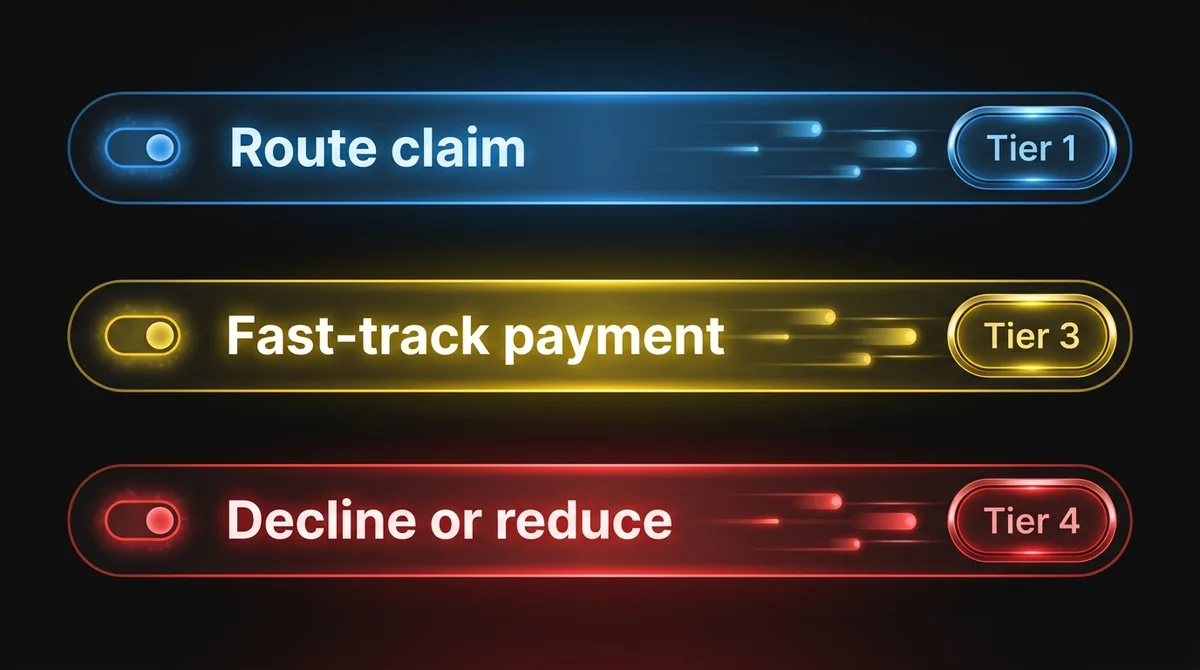
Nothing about the model changed between the version that was blocked and the version that was approved. The workflow changed, and with it the answers the risk committee needed.
How should you staff the build of a governed AI workflow?
With engineers who understand risk review well enough to design for it from the first sprint. Teams that ship governed AI quickly bring the decision-rights table to week two, not week twenty.
That’s the work our engineers do when they embed with a client team. We build in your codebase and your release cycle, and we treat the approval path as part of the product: tiers, reasons, thresholds, overrides and fallback. Your team keeps the system and the patterns when the engagement ends.
If you’re earlier in the journey, our guide to taking AI from pilot to production at a scale-up covers the broader reasons pilots stall, and enterprise AI agents looks at deployment patterns that hold up inside large organizations.
Frequently Asked Questions
Why do AI pilots fail risk committee review when accuracy is good?
Because accuracy doesn’t answer the committee’s questions: who’s accountable, how a decision gets explained, who can override it and how the system gets stopped. Those answers have to exist as features in the workflow, not as statements in a policy.
What is a decision-rights table for AI?
It lists every decision an AI system touches and assigns each one a tier: automate, automate with sampled review, recommend, or never delegate. The tier depends on reversibility, impact on one person, regulatory exposure and volume.
How do you know if human review of AI outputs is working?
Track the override rate. Near zero can mean rubber-stamping, so test reviewers with known-bad cases. A high rate means the system isn’t ready for that tier yet.
Which AI decision would you never delegate?
Every company already knows the answer, even if it hasn’t written it down. Start there. That answer tells you where tier 4 begins, and the rest of the design follows from it.
If you want a second set of eyes, we run governance stress tests on one live or planned workflow. We go through the ten questions above with your team, and you leave with a decision-rights table and a list of design gaps to close before the risk review. Book a stress test.