Key Takeaway
Standard product metrics like DAU and NPS don't capture AI feature value. Measure task success rate, human escalation rate, output acceptance, and business impact to know which AI features deserve continued investment.
Every product team we work with has shipped at least one AI feature in the past year. Most of them can tell you how many users tried it. Very few can tell you if it worked.
“We added AI” is not a success metric. Neither is a spike in usage the week after launch. The teams that build lasting AI value measure specific things, and they measure them differently from traditional features.
This is a framework for doing that. It covers the metrics that matter, the ones that don’t, and how to build an evaluation system that tells you if your AI feature is earning its place in the product.
Why do standard product metrics miss the point?
Your existing analytics stack tracks daily active users, session duration, NPS, and feature adoption. These metrics tell you if people use your product. They don’t tell you if a specific AI feature is delivering value.
Consider a team that ships an AI-generated summary feature in their project management tool. DAU stays flat. NPS ticks up by two points. Feature adoption hits 40% in month one. The executive team calls it a win.
But nobody asked: Are the summaries accurate? Do users read them and move on, or do they check the source material anyway? Are users who rely on the summaries making worse decisions because the AI missed context?
Standard product metrics tell you people clicked the button. They don’t tell you if clicking it was worth it. For AI features, you need metrics that capture output quality, user trust, and actual business impact alongside adoption.
What task completion metrics should you track?
These tell you if the AI does what users expect it to do.
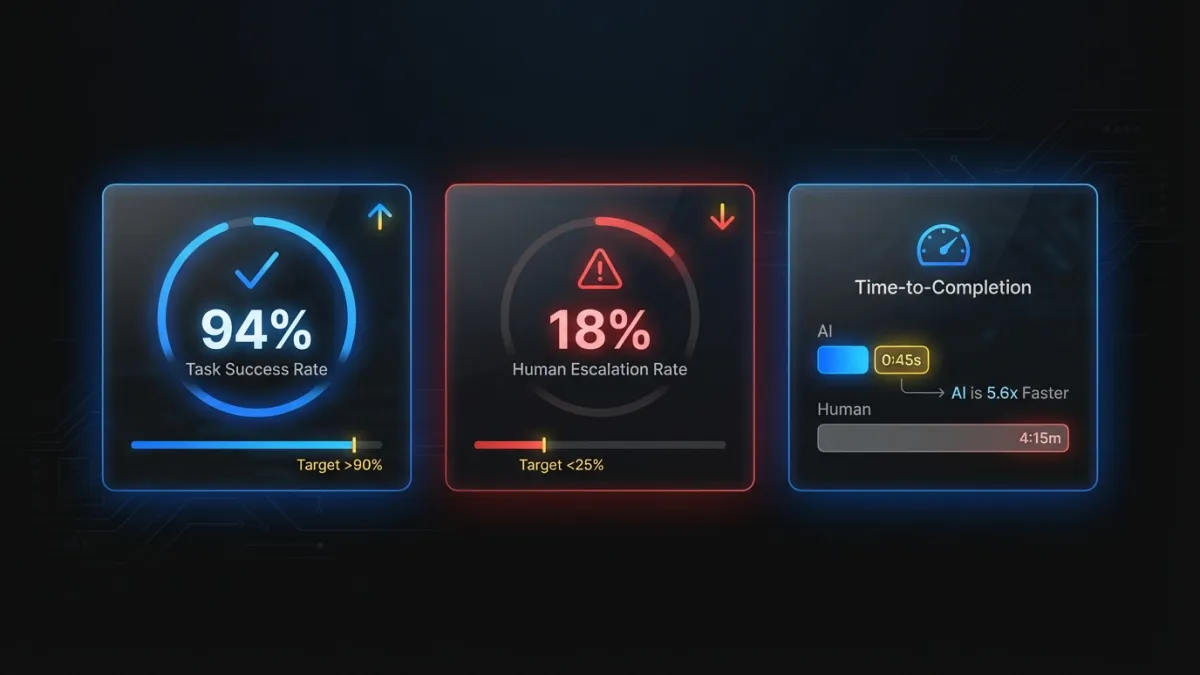
Task success rate. The percentage of times the AI completes the task the user initiated. If a user asks your AI feature to generate a report summary, did it produce one? This sounds basic, but many teams don’t track it. Failures include timeouts, error states, refusals, and outputs so far off-target that the user immediately abandons them. A healthy AI feature should sit above 90%. Below 80%, you have a reliability problem that will kill adoption regardless of output quality.
Human escalation rate. How often users override, edit substantially, or abandon the AI output and do the task manually. This is the single most honest metric for AI feature quality. If 60% of users ignore the AI output and do it themselves, the feature is furniture. Track this weekly. A good target is below 25% escalation for features that have been live for 90+ days.
Time-to-completion. Measure the same task with and without the AI path. If your AI feature doesn’t save measurable time, it needs to deliver value in some other dimension (accuracy, consistency, reduced cognitive load) or it’s not pulling its weight. Be specific: “AI-assisted invoice categorization takes 12 seconds per item vs. 34 seconds manual” is a metric you can build a business case on.
How do you measure AI output quality?
Task completion tells you the AI produced something. Quality metrics tell you if that something was good.
Output acceptance rate. The percentage of AI-generated outputs that users keep without modification. For text generation, this means the user hits “accept” without editing. For classification, it means the AI’s label matches what the user would have chosen. A healthy acceptance rate depends on the task. For most content generation features, 40-50% unedited acceptance is solid. Above 70% is excellent.
Edit distance. When users modify AI output, how much do they change? A user who fixes a typo is very different from one who rewrites three paragraphs. Measure edit distance as a percentage of the original output. If your median edit distance is above 50%, users are treating the AI as a rough draft generator at best. That might be acceptable for some use cases, but you should know the number and track the trend.
Error rate by category. Not all AI failures are equal. A summarization feature that occasionally uses awkward phrasing is different from one that states incorrect figures. Categorize your errors: factual errors, tone mismatches, missing context, hallucinated information, formatting issues. Track each category separately. This data tells you where to focus model improvements. It also helps you decide if certain error types require guardrails, human review steps, or different architectural approaches.
Do users actually trust the AI feature?
Quality metrics tell you if the AI is good. Trust metrics tell you if users believe the AI is good. These are different things. A feature can produce excellent output and still fail if users don’t trust it enough to rely on it.
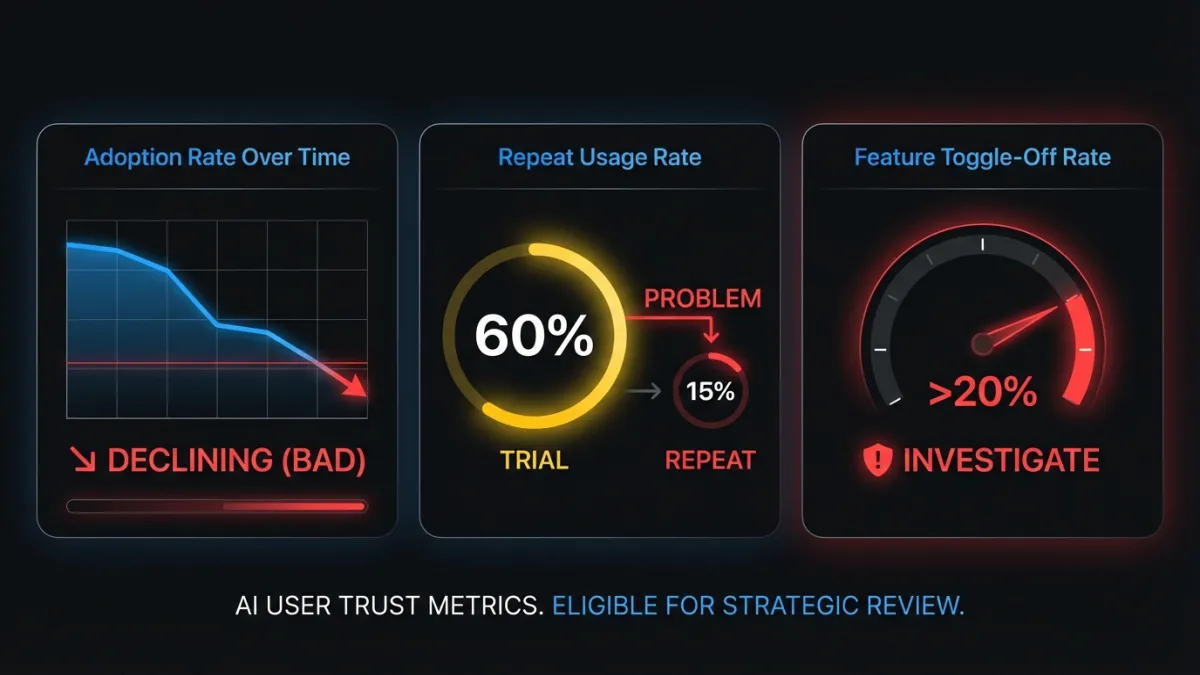
AI feature adoption rate over time. Not just “40% tried it in month one.” Track the weekly or monthly adoption curve. Are new users discovering and using the feature? Is adoption growing, plateauing, or declining? A feature that spikes at launch and drops over 90 days has a trust or quality problem that early excitement masked.
Repeat usage rate. The percentage of users who used the AI feature once and then used it again within 7, 14, or 30 days. This is more telling than raw adoption. A feature with 60% trial rate but 15% repeat usage disappoints on first contact. Compare this to your core feature repeat usage rates. AI features should aim to match or exceed them.
Feature toggle-off rate. If your AI feature has an opt-out or disable option, track how many users turn it off. More importantly, track when they turn it off. Users who disable after one session had a bad first experience. Users who disable after three months may have a more nuanced complaint worth investigating. If toggle-off rate exceeds 20%, conduct user interviews before investing further.
Which business impact metrics matter most?
These connect AI feature performance to the numbers your CFO cares about.
Revenue per AI-assisted interaction. For features in the conversion or transaction path, compare revenue from AI-assisted workflows to non-AI workflows. An AI-enhanced product search that increases average order value by 8% has a clear dollar figure attached. This is the metric that justifies continued investment.
Support ticket deflection rate. Count support tickets in the categories your AI feature addresses. If you shipped an AI-powered help center, track “how do I” tickets before and after. If the number drops, you can calculate the cost savings per deflected ticket (typically $5-25 per ticket depending on your support model).
Time saved per user per week. Aggregate the time-to-completion improvements across all AI-assisted tasks for an average user. “Our AI features save the median user 47 minutes per week” is a retention argument, a pricing argument, and a competitive differentiation argument in one number.
Conversion rate for AI-enhanced workflows. For onboarding, signup, or purchase flows that include AI steps, run the comparison. Does the AI-enhanced version convert better? By how much? This is where strategic AI integration proves its value in pipeline terms.
What metrics should you stop tracking?
Three metrics consistently show up in AI feature dashboards that tell you almost nothing.
Raw API call volume. High API usage does not mean high value. A poorly designed feature that makes five calls to produce one output will have impressive API volume and terrible user experience. Track outcomes, not infrastructure activity.
Model accuracy in isolation. Your model achieves 94% accuracy on your test set. Users report the feature “gets it wrong all the time.” Lab accuracy measures performance on curated data. Production accuracy includes edge cases, adversarial inputs, distribution shifts, and user expectations your test set didn’t anticipate. Measure production accuracy by tracking output acceptance and error rates in the live product. The test set number is an internal engineering metric, not a product success metric.
“AI interactions” as a standalone number. “Users had 2.3 million AI interactions this quarter” means nothing without context. Were those interactions successful? Did users get what they needed? A search feature where users search five times to find one answer has high interaction volume and a terrible experience. Pair interaction counts with success rates or don’t report them at all.
How do you build an evaluation framework?
Picking the right metrics is half the problem. The other half is building a system that produces reliable data over time.
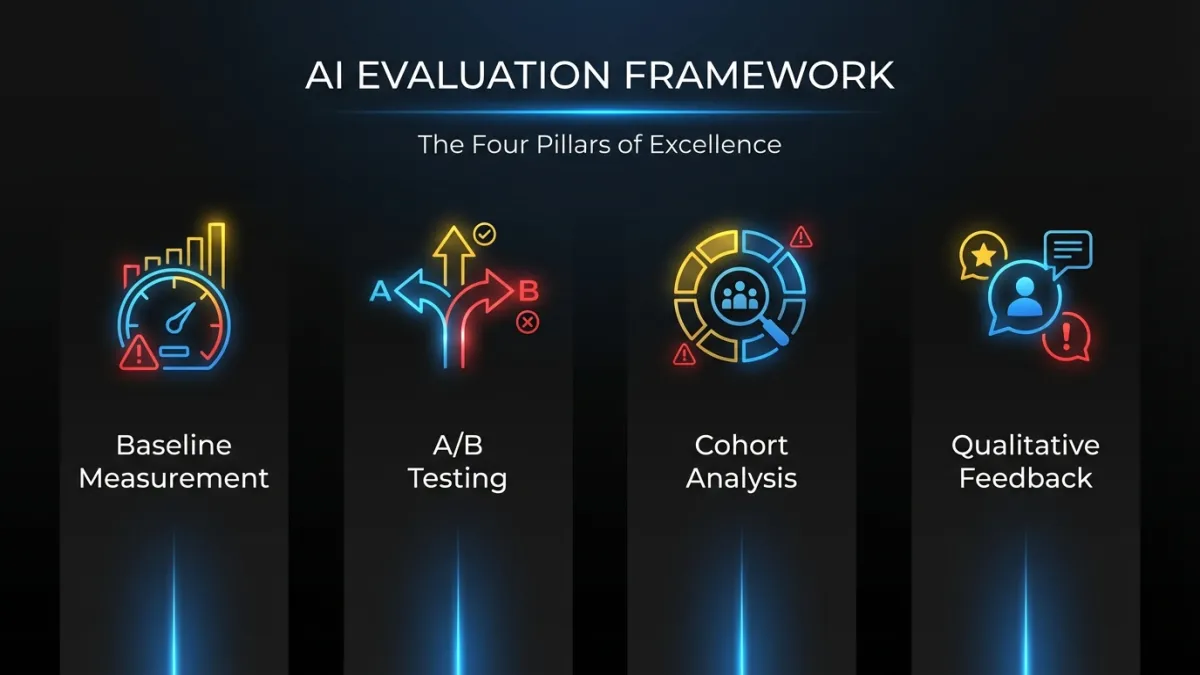
Baseline before launch. Measure the metrics you care about before the AI feature goes live. Time-to-completion, error rates, support ticket volumes, conversion rates. Without a baseline, every post-launch number is unanchored. You can’t prove improvement if you didn’t measure the starting point.
A/B testing with a real control group. Show the AI feature to a random subset of users. Keep a control group on the non-AI version. Compare outcomes after 30, 60, and 90 days. This is the only way to isolate the AI feature’s impact from other product changes, seasonal effects, and user behavior shifts. Teams that skip A/B testing and just compare “before” and “after” periods are measuring time, not causation.
Cohort analysis for retention. Do users who adopt the AI feature retain better at 90 days than users who don’t? This is the strongest signal of long-term AI feature value. If AI users churn at the same rate as non-AI users, the feature isn’t creating stickiness. If they retain 10-15% better, you’ve built something that changes the product’s value equation.
Qualitative feedback loops. Put a thumbs-up/thumbs-down on every AI output. Add an optional text field for “what went wrong” on negative ratings. Run monthly user interviews with both heavy AI users and users who tried the feature and stopped. Quantitative data tells you what is happening. Qualitative data tells you why. You need both.
Worked example: AI-powered search
A B2B SaaS company ships an AI-powered search feature that replaces keyword-based search with semantic understanding. Here’s what the measurement looks like.
Baseline (pre-AI search):
- 2.3 searches per task (users searched multiple times to find what they needed)
- 45-second average time from first search to clicking a result
- 12% of search sessions ended without the user clicking any result
- 340 support tickets per month in the “can’t find X” category
Post-launch (90 days, AI search group in A/B test):
- 1.4 searches per task (39% reduction)
- 18-second average time to result (60% faster)
- 4% of sessions with no result clicked (down from 12%)
- User-reported satisfaction with search up 22% (in-app survey)
- “Can’t find X” support tickets down 34% (from 340 to 224 per month)
- Users in the AI search cohort retained 8% better at 90 days
Each of these numbers tells a specific story. Fewer searches per task means the AI understands intent better. Faster time-to-result means less friction. Lower no-click rate means the results are more relevant. The support ticket reduction translates to roughly $2,900/month in savings at $25 per ticket. The retention improvement has compounding revenue implications.
That’s what useful measurement looks like. Not “search usage is up 40%.”
When should you kill an AI feature?
Not every AI feature deserves to survive. These signals mean it’s time to cut your losses.
Adoption plateaus below 20% after 60 days. If 80% of your users have seen the feature and chosen not to use it two months post-launch, the feature has a fundamental value problem. Small UX tweaks won’t fix it. The underlying capability needs a significant upgrade or the use case isn’t strong enough.
Edit distance stays above 60%. Users who rewrite most of the AI output are doing double work: reading the AI’s version and then producing their own. They’d be faster without the feature. If this number doesn’t improve after two model iterations, the task may not be well-suited to AI assistance with current technology.
The feature increases support tickets instead of reducing them. This happens more often than teams admit. An AI feature that confuses users, produces inconsistent results, or behaves unpredictably generates a new category of support requests. If you’re spending more on supporting the AI feature than you saved by shipping it, the math doesn’t work.
No measurable business impact after 90 days. If the feature doesn’t move any business metric, it’s costing engineering time, compute, and maintenance burden for zero return. Enterprise deployments especially need clear ROI timelines. Sentiment and engagement are leading indicators, but they need to convert to business outcomes within a quarter.
The hardest part of AI product development isn’t shipping features. It’s knowing which features to keep. A disciplined measurement framework gives you the data to make that call with confidence instead of intuition.
Frequently Asked Questions
What is the most important KPI for AI features?
Human escalation rate. It tells you how often users abandon the AI output and do the task manually instead. If most users ignore what the AI produces, no amount of adoption or engagement data matters. Track this weekly and target below 25% for features live longer than 90 days.
How long should you wait before evaluating an AI feature?
Give it 90 days with a proper A/B test and control group. The first 30 days reflect novelty, not value. By 90 days, you’ll have enough data on repeat usage, escalation rates, and business impact to make a real decision about whether to invest further, iterate, or kill the feature.
Should you track AI model accuracy as a product metric?
No. Lab accuracy on a test set doesn’t reflect production performance. Users encounter edge cases, unexpected inputs, and distribution shifts that your test data didn’t include. Instead, track output acceptance rate and error rate by category in the live product. Those numbers tell you what users actually experience.
Ready to build AI features that deliver measurable results? Talk to our team about integrating AI into your product with a clear measurement strategy from day one.